
Guardrails
Give agents standing prompt instructions, scoped to the people and agents they apply to.
How guardrails work
A guardrail is a named set of instructions that Industric adds to an agent's prompt. Guardrails are supplied to managed agent bootstrap, interactive attach, HAL runs, and platform chat.
Every enabled guardrail that applies is combined into one block headed Workspace guardrails, with one section per guardrail under its name. Sections are ordered by priority, highest first, then by name.
1# Workspace guardrails2 3## Customer data handling4Before sharing customer data, verify the recipient and remove personal identifiers.5 6## Change windows7Do not restart production services outside the approved change window.Create a guardrail
Open Security → Control → Guardrails and choose Create guardrail.
- Name: 1 to 120 characters. It becomes the section heading in the combined instructions.
- Priority: an integer, default
0. Higher priorities appear earlier. - Description: optional. Shown in the guardrail list.
- Instructions: the text supplied to the agent, up to 32,000 bytes.
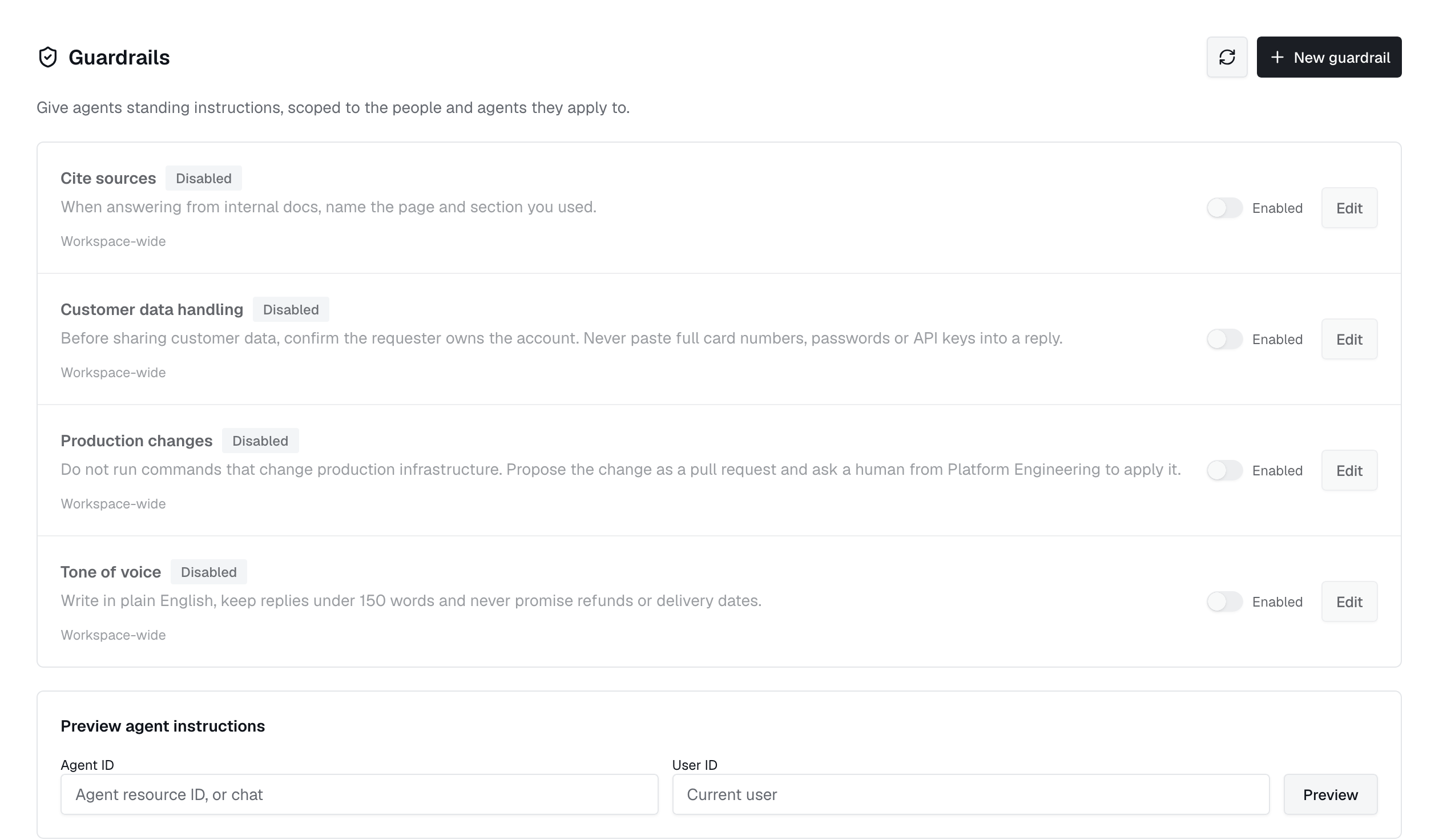
New guardrails are enabled. Use the Enabled switch in the list to pause one without deleting it; disabled guardrails are left out of every prompt.
Scope
With Global scope on, a guardrail applies to the entire workspace. Turn it off to choose one or more agents, users, or groups:
- Users and groups are alternatives. The guardrail applies when the acting user is listed or belongs to a listed group.
- Agents narrow the guardrail to the listed agent resource IDs. Use
chatto target platform chat. When users or groups are also listed, both conditions must match.
Preview agent instructions
Preview agent instructions, below the guardrail list, shows the combined text a given agent and user would receive. Enter an agent resource ID, or chat, and optionally a user ID; the user defaults to you. If nothing applies, the preview reports that no guardrails apply to that scope.
Access
Viewing and previewing guardrails requires policies:read. Creating, editing, and enabling or disabling them requires policies:write; deleting requires policies:delete. See Access control.