
File systems
Store and share agent files across restarts. Browse them in the dashboard or transfer them with the CLI.
An AgentFS file system keeps files in your cluster across agent restarts. Mount it on agents to share code, data, and results. Open Infrastructure → Storage.
Why a file system
- Keep files: reuse checkouts, data, and build output after a restart.
- Share work: let agents read and write the same files.
- Transfer files: upload inputs and download results without a shell.
Create one
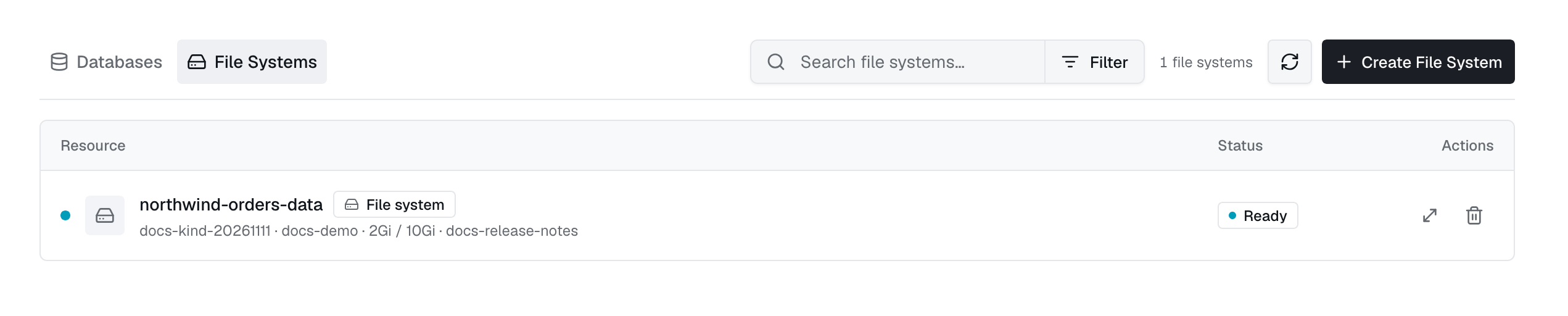
Click New file system. Enter a name, size, and maximum size. The target deployment must be online to create its volume (PVC).
| Field | Meaning |
|---|---|
size | Initial capacity, such as 5Gi or 500Mi. |
maxSize | Maximum size allowed when growing the disk. |
storageClassName | Storage class. Omit to use the cluster default. |
accessMode | Defaults to ReadWriteOnce. Use ReadWriteMany with a compatible storage class for shared access. |
retain | Keep the underlying volume when the resource is deleted. |
1apiVersion: autonomic.sh/v1alpha12kind: AgentFS3metadata:4 name: shared-workspace5 namespace: adaptive6spec:7 size: 20Gi8 maxSize: 100Gi9 accessMode: ReadWriteMany10 retain: trueThe list shows status, requested and provisioned size, PVC, and attached agents. Sizes may differ while a resize is in progress.
Mount it on an agent
Attach file systems from the agent's edit form, or declare them on the resource. Omit mountPath and the operator mounts at /mnt/fs/<name>.
1spec:2 filesystems:3 - name: shared-workspace4 mountPath: /workspace/shared5 - name: reference-data6 readOnly: trueIn API updates, send a list to replace mounts, an empty list to detach all, or omit it to keep them. The operator needs mount-filesystems support.
Browse & transfer files
Open a file system to browse it, create folders or empty files, and check used, free, and total space. This works even when no agent is using the disk.
Grow & delete
- Resize: grow up to
maxSize. Disks cannot shrink. - Delete: detach the volume from all agents first.
retain: truekeeps the underlying volume and data.
App storage
Apps have a workspace volume and, when using Postgres, a database volume. View or grow them in App storage. Deleting an app removes its volumes unless retention was enabled at creation.
From the CLI
exo fs list
exo fs create build-cache --size 20Gi --max-size 100Gi -n adaptive
exo fs ls build-cache:/artifacts
exo fs cp ./dataset.parquet build-cache:/data/dataset.parquet
exo fs cp build-cache:/artifacts/report.html ./report.html
exo fs resize build-cache --size 50Gi
exo fs delete build-cache