
Web agents
Give agents a browser you can watch and control from the dashboard.
A web agent runs a browser in your cluster. Watch it in the dashboard, control it yourself, or let an agent use it through Playwright MCP. Open Agents → Web Agents.
What a web agent is
- Live browser: watch or control it with your mouse and keyboard.
- MCP tools: let agents navigate, click, type, and read pages.
- Optional coding agent: runs beside the browser and connects automatically.
Create one
Click New web agent. Choose a deployment, enter a DNS-style name, and optionally set a start URL. Set viewport size and stream quality on the resource.
Start an agent session
Enable the embedded agent and choose its runtime, provider and model, LLM gateway, skills, extra MCP servers, memories, and resource limits. It connects to the browser automatically. Disable it to use only the browser.
Use the browser
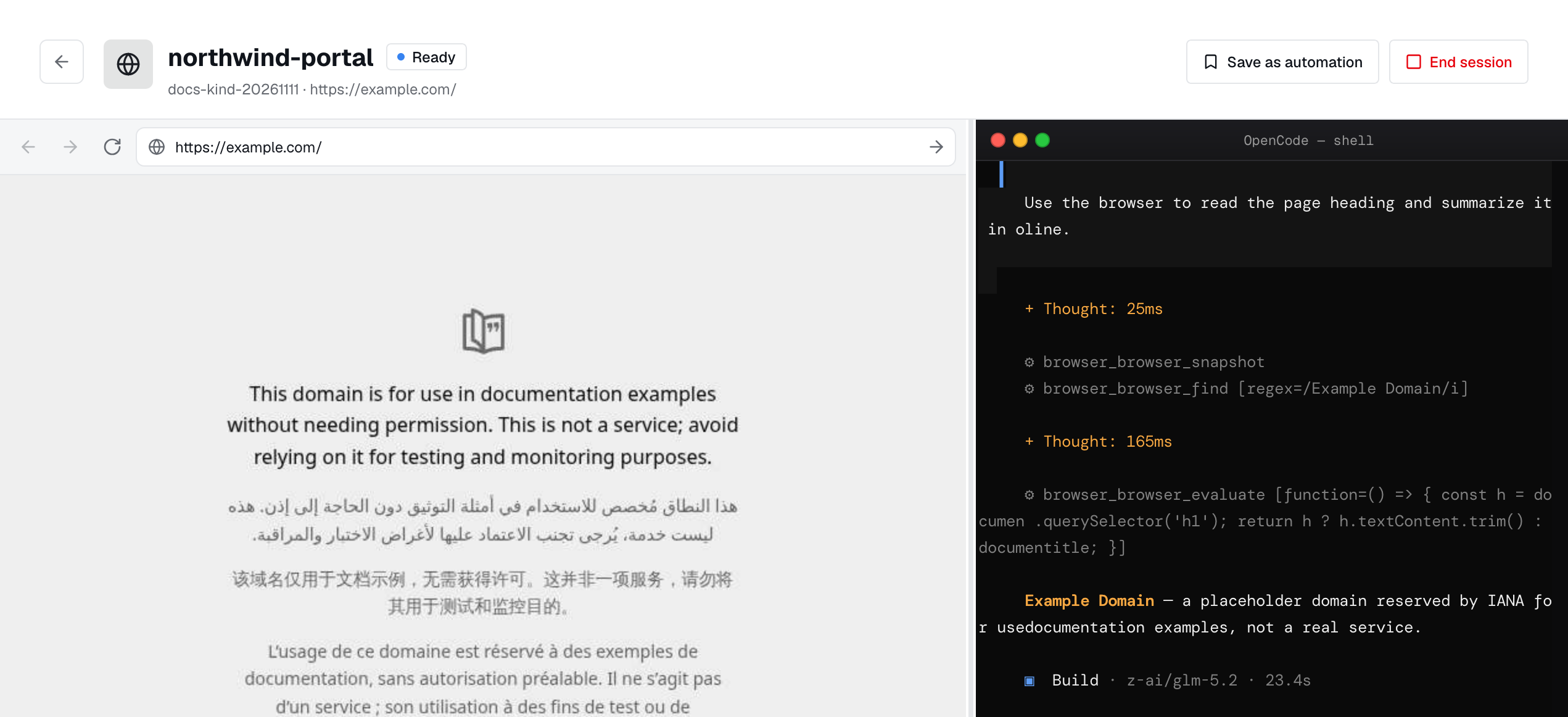
Enter a task in chat and watch the agent use the browser beside it. Each browser tool call appears in the audit log.
Automations
Choose Save as automation to keep a prompt with a name and description. Run it again from Automations in a live session.
Link an existing agent
Choose web agents when creating or editing a standalone agent, or add them in YAML:
1spec:2 webAgentRefs:3 - name: checkout-browserThis lets several agents share a browser or use it only when needed.
Restart & delete
- Restart: replace the browser pod. Stream and MCP URLs stay the same.
- Delete: remove the resource, pod, and Service.
- Force delete: also clear the dashboard record when the deployment is offline.
1apiVersion: autonomic.sh/v1alpha12kind: WebAgent3metadata:4 name: checkout-browser5 namespace: adaptive6spec:7 url: https://example.com8 width: 14409 height: 90010 quality: 7011 agent:12 enabled: true13 runtime: ClaudeCode14 model: claude-opus-4-8webagents:read; creating and managing needs webagents:write; using it needs webagents:invoke. Ownership and grants in Access determine who can reach it. Remove any broad sharing grant before restricting it to named users, teams, or roles.