
Agent inbox
Read agent reports, send messages, and start runs from the inbox.
Browse sessions
Open Inbox → Sessions. Search or filter by agent and state, then select a session. Use Summarize for a summary or Open session for the full history.
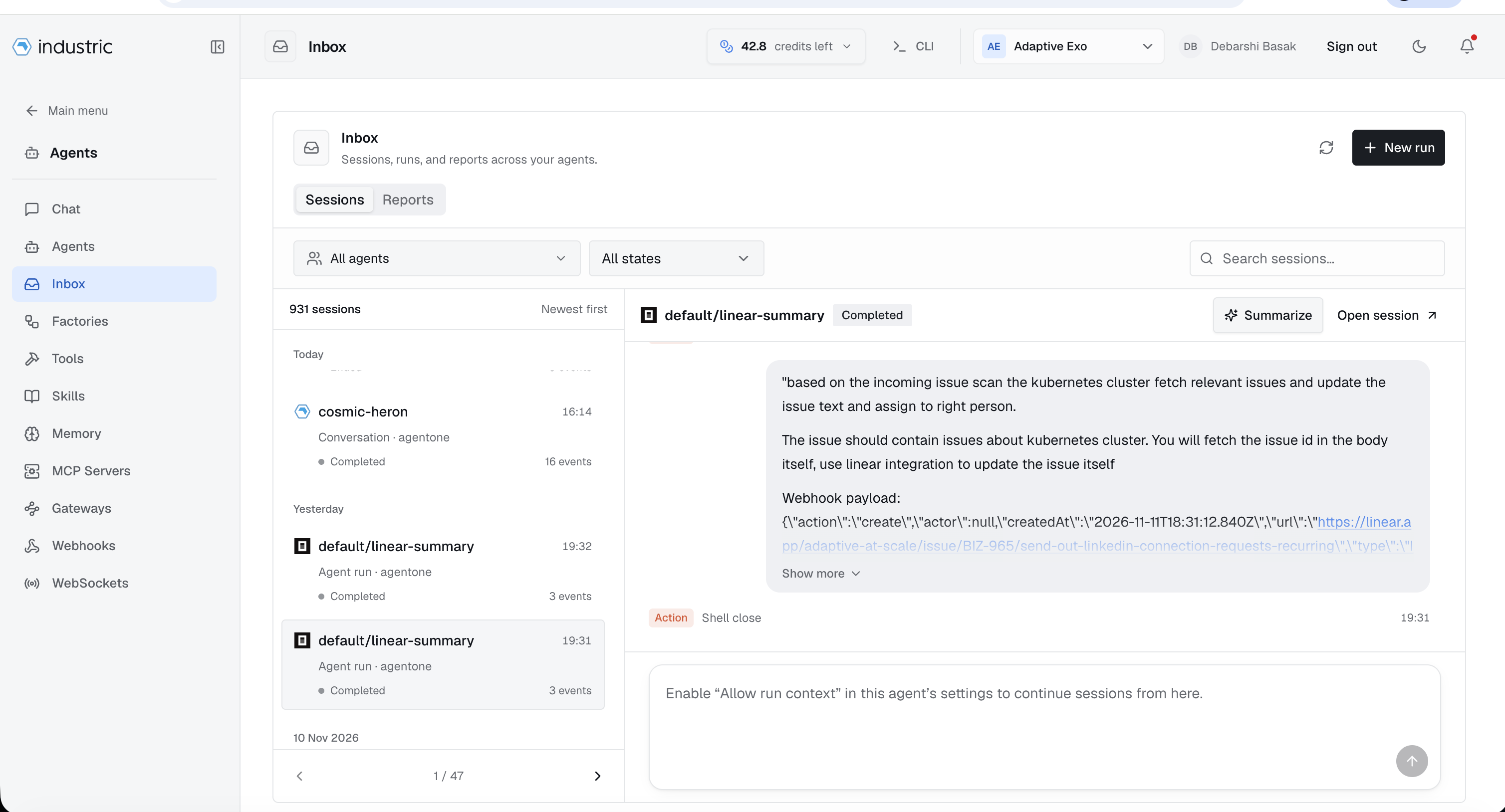
To continue a session from the Inbox, enable Allow run context in that agent's settings. Switch to Reports to read published deliverables.
Deliverables and messages
Agents publish reports and files with exo inbox publish. Read them in the agent's Inbox tab or Inbox → Reports. Agents read incoming requests with exo inbox messages.
During a run, the agent's credentials identify the sender. A message cannot claim to come from another agent.
Publish reports and artifacts
Ask the agent to publish its report with HTML, PDF, image, CSV, or spreadsheet attachments:
exo inbox publish --subject "Infrastructure report" \--body "Summary of findings and recommendations." \--attach /workspace/report.html \--attach /workspace/report.pdf \--attach /workspace/chart.png
Use --body-file summary.md for Markdown and repeat --attach for each file. A path in the summary does not upload the file. Include styles and images inside HTML reports for offline use.
Attach up to 10 files, 10 MB each and 50 MB total. A successful command returns the saved entry ID. Open Inbox → Reports to read the summary and download the attachments.
Send or wake an agent
exo inbox send --to reviewer --body "Findings are ready for your next run."
exo inbox send --body "@reviewer check PR 12"
exo inbox send --to reviewer --trigger --body "Review the latest changes."
Use --to to leave a note. Add --trigger or use an @mention to request a run. Address agents by slug. If names repeat, use @namespace/slug or @deployment/namespace/slug; otherwise, the CLI lists matches.
Delivery and permissions
Sending needs read access to the recipient; starting a run also needs invoke access. Without invoke access, agent messages are delivered but do not start a run. Dashboard requests to start a run are rejected. Offline deployments, disabled Run capability, or concurrency limits can also prevent a run after delivery.
Check trigger_status and its reason to confirm a run started. Messages allow up to ten recipients, excluding the sender. Each recipient can be woken up to thirty times in ten minutes.
Triggered runs receive the message in AGENT_WEBHOOK_PAYLOAD, with sender, recipient, subject, body, and message ID. Messages do not override the agent's goal.