
Agent
Create an agent with a runtime, goal, provider, skills, and schedule.
An Agent runs coding or automation tasks in a Kubernetes pod. Industric supplies its credentials and skills, then starts runs on demand or on a schedule.
Create an agent
Dashboard: click Create agent on the Agents or deployment page. Choose an online deployment, enter a lowercase DNS-style name, pick a runtime, and write a goal. OpenCode offers a free, keyless model. Claude Code and Codex need a provider.
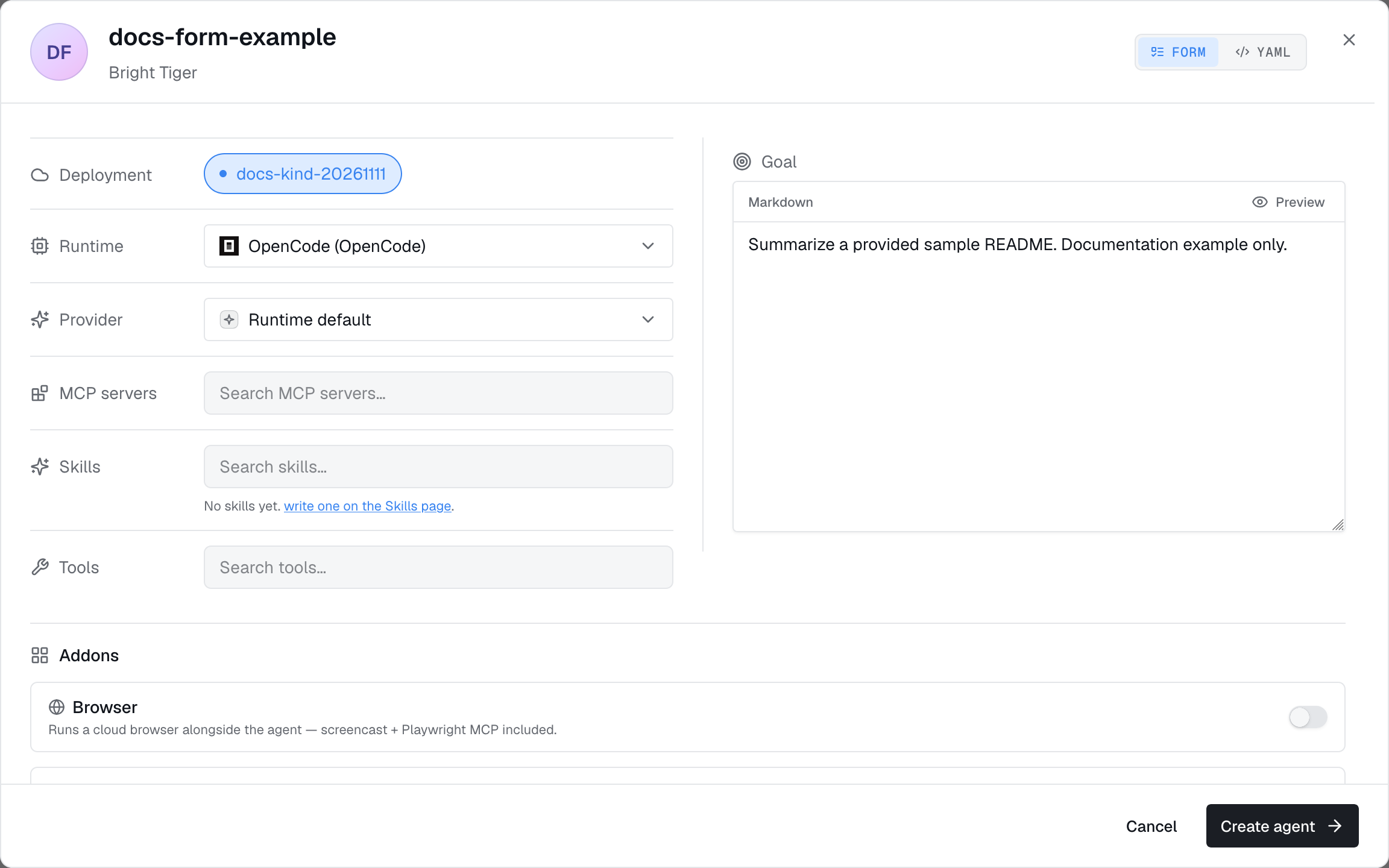
YAML: define an Agent resource and apply it with kubectl or your GitOps tool.
A sample Agent
1apiVersion: autonomic.sh/v1alpha12kind: Agent3metadata:4 name: triage-bot5 namespace: adaptive6 labels:7 autonomic.sh/agentgroup: support-team8 env: prod9spec:10 runtime: ClaudeCode11 displayName: Issue triage12 phase: Active13 goal:14 inline: |15 Triage incoming GitHub issues: fetch new ones hourly, label, assign.16 provider:17 name: anthropic-prod18 type: anthropic19 gateway:20 name: shared-gateway21 wakeup:22 enabled: true23 mode: schedule24 schedule: "0 * * * *"25 bootstrap:26 skills:27 - triage-runbook28 mcps:29 - linear30 policies:31 - safe-shell-baselineFields
runtime: agent software and image. See Runtimes.displayName: an editable display name. The resource'snamecannot change.- labels: narrow apply-to-all command policy coverage. Every configured label pair must match the agent's metadata.
phase:ActiveorPaused, defaulting toPaused. Check status before settingActive.goal:inlinetext or aconfigMapKeyRef.model: deprecated and ignored. Set the model in the provider, or use the runtime default without a managed provider.provider: supplies credentials. Usenamefor a specific provider ortypefor that type's tenant default.agentToken: a Secret reference for a runtime API key when no managed provider is used.
Capabilities
These flags control agent behavior. All default to off, allowing connections and runs:
disableShell: block interactive terminal access.disableRun: hide Run and block runs from webhooks and schedules.injectGoals: send the goal directly into the session.allowUserContext: let users add instructions for one run.
spec.mode (supervised / system) still is accepted in older manifests. The flags above control behavior, including runs for supervised agents.Runtimes
Choose ClaudeCode, Codex, Gemini, Pi, Hermes, Hal, or OpenCode. See providers, examples, and image versions in Runtimes.
What you can attach
Add or change attachments in the dashboard or agent resource:
| Attachment | Field | What it gives the agent |
|---|---|---|
| Skills | bootstrap.skills | Reusable instructions loaded at session start. |
| MCP servers | bootstrap.mcps | Remote tools, with URLs and credentials supplied at connection time. |
| Policies | bootstrap.policies | Policy bundle names; delivers their command and MCP members to supported agent enforcement paths. |
| Memories | bootstrap.memories | Saved knowledge agents can read and update. |
| File systems | filesystems | Shared storage that survives restarts. |
| Gateway | gateway | Model access with usage tracking and budgets. |
| Web agents | webAgentRefs | A browser the agent can drive, over MCP. |
| Schedule | wakeup | Fire runs on cron, a phrase, or once at a fixed time. |
Templates
Save an agent template to reuse its runtime, goal, provider, capabilities, and attachments. Choose a built-in or custom template in the dashboard, CLI, or API, then override what you need. Templates belong to the tenant and do not include an agent name.
Pause, restart, delete
- Pause sets
spec.phase: Paused, removes the resident pod, and stops schedules. Resume to bring it back. - Restart replaces the resident pod. Active runs use separate pods and continue.
- Delete removes the agent, pod, run configuration, and secrets. Force delete clears its dashboard record if the deployment is offline or unresponsive.
Status
Run kubectl get agents to check .status.phase and .status.ready. For details or a run that won't start, use kubectl describe agent <name>.