
Classifiers
Detect sensitive content with built-in classifiers, custom rules, and decision models.
Built-in and custom classifiers
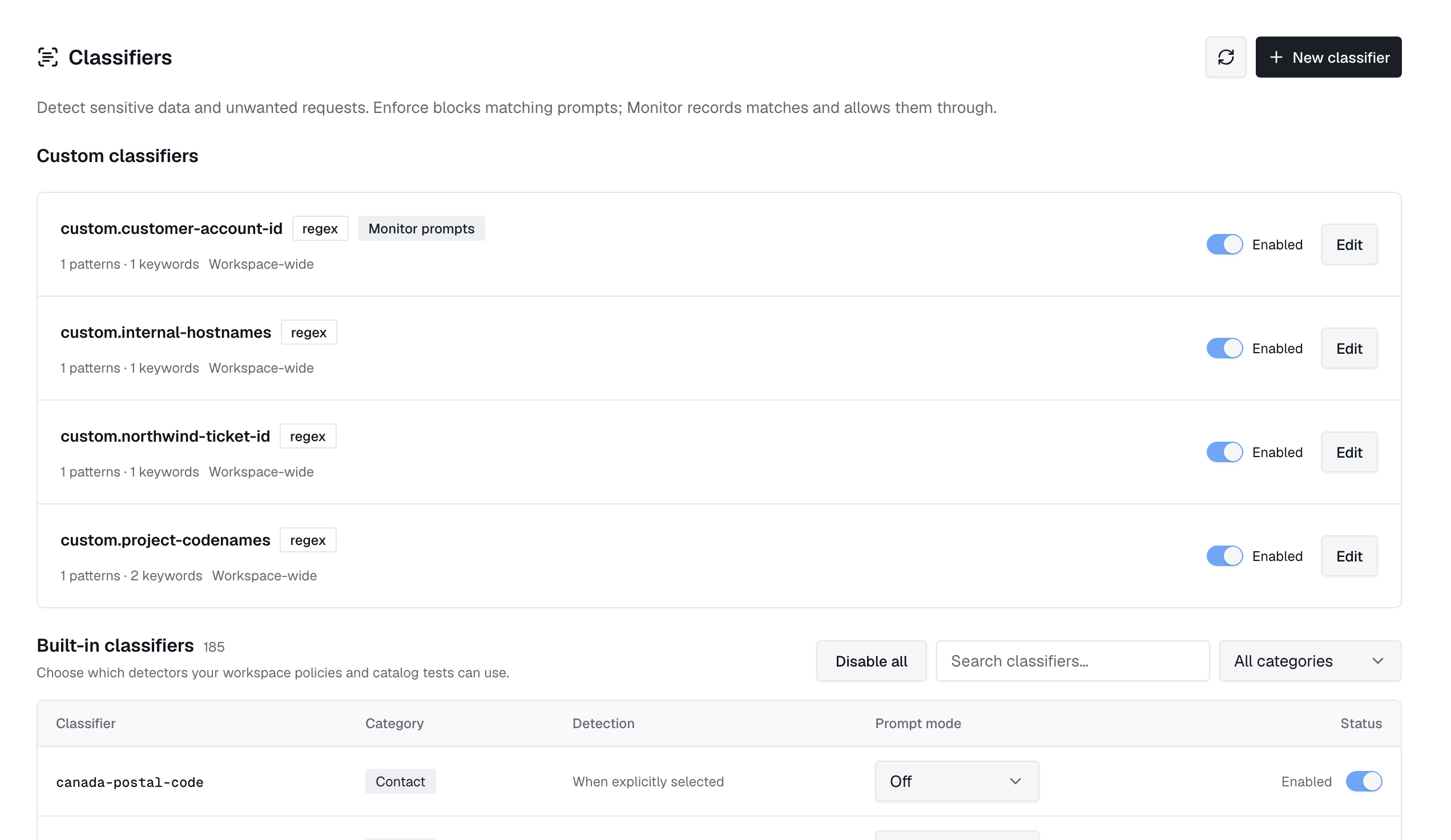
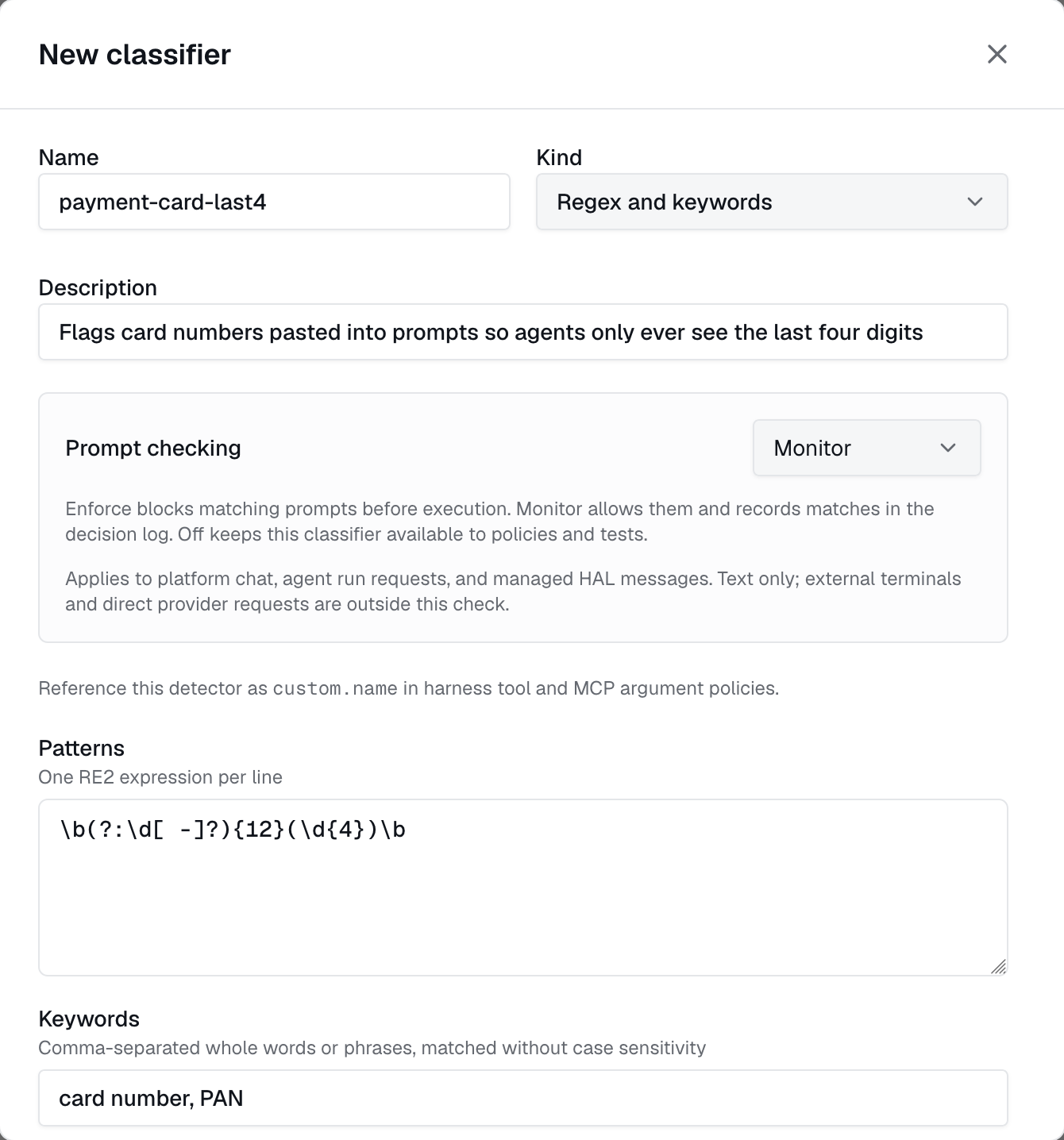
Open Security → Control → Classifiers to search built-in detectors by category, enable or disable them for the workspace, and test representative input. Custom classifiers can use RE2 patterns, whole-word keywords, or a selected model provider with a classification guideline. Reference them as custom.<name> in supported tool-argument and MCP argument rules.
Decision models
Use a model classifier when the decision depends on meaning or intent. The model checks text against your guideline and returns a match or no match; the policy or prompt mode determines what happens next.
- Select New classifier → Kind → Model.
- Choose a Model provider and a model, or use the provider default.
- Write a Classification guideline describing what should and should not match. Save and test it with representative input.
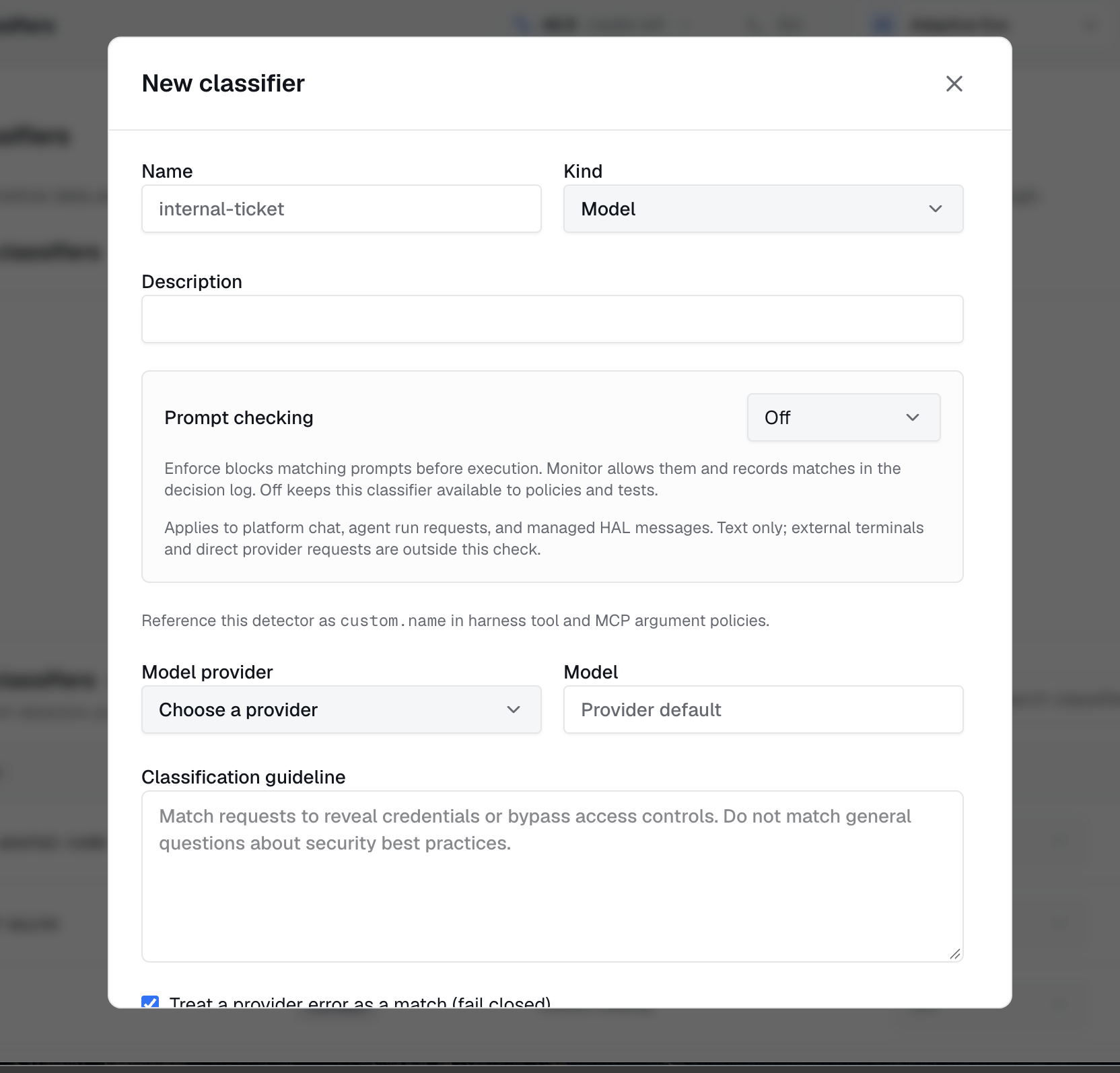
Evaluation text is sent to the selected provider. Fail closed treats a provider error as a match, so Enforce blocks the prompt if the check fails.
Prompt modes and coverage
- Off: keeps the classifier available for policies and tests without checking prompts.
- Monitor: allows the prompt and records matches.
- Enforce: rejects matching prompts before dispatch with
403 prompt_blocked.
Existing classifiers default to Off; disabled classifiers never check prompts. Checks cover platform chat sends, edits, regeneration, text attachments and invoked skills, caller-supplied agent run payloads, and supported local or managed HAL sends.
Raw terminal input, direct provider or gateway requests, autonomous scheduled runs, and binary or image attachment content are outside this prompt check. Custom classifiers are also unavailable to external gateway detectors and local offline policy evaluators. Failures to establish applicable rules return 503 prompt_classification_unavailable.
Classifiers check prompts. To give agents standing instructions that guide the model instead, use guardrails.
Access and decisions
Reads and tests use policies:read; changes require policies:write or policies:delete as appropriate. Catalog tests do not emit policy events. Recorded prompt decisions include classifier, mode, outcome, and target without prompt text or excerpts.